
Typing is one of the most important digital skills in today’s world. Whether you are a student, freelancer, office worker, programmer, or job seeker, fast and accurate typing can save time and increase productivity.
The good news is that anyone can improve their typing speed with regular practice. In this guide, you’ll learn a simple 30-day plan to increase your typing speed while maintaining high accuracy.
Why Typing Speed Matters
A good typing speed helps you:
- Complete work faster
- Save time during exams and online tests
- Increase productivity
- Improve office performance
- Write articles and assignments quickly
- Prepare for data entry and government jobs
- Boost confidence while using a computer
Ministry of Federal Education Jobs 2026 Apply Online
What Is a Good Typing Speed?
Typing speed is measured in Words Per Minute (WPM).
| Typing Level | WPM |
|---|---|
| Beginner | 20–30 WPM |
| Average | 35–45 WPM |
| Good | 50–70 WPM |
| Professional | 70–100 WPM |
| Expert | 100+ WPM |
Remember, accuracy is more important than speed. Speed naturally increases as your accuracy improves.
30-Day Typing Improvement Plan
Week 1: Learn the Basics
Focus on:
- Home row finger position
- Correct finger placement
- Looking at the screen instead of the keyboard
- Typing slowly but accurately
Practice for 20–30 minutes every day.
Week 2: Improve Accuracy
Now begin typing complete words and sentences.
Practice:
- Common English words
- Short paragraphs
- Numbers
- Capital letters
- Basic punctuation
Your goal should be 95% or higher accuracy.
Week 3: Increase Speed
Start timed typing tests.
Practice:
- 1-minute typing tests
- 3-minute typing tests
- Paragraph typing
- Real-world documents
Don’t rush. Let your fingers develop natural muscle memory.
Week 4: Build Consistency
This week focuses on maintaining both speed and accuracy.
Practice:
- Longer articles
- Emails
- Stories
- News content
- Office documents
Track your daily progress and compare your Words Per Minute.
Daily Typing Practice Routine
Follow this schedule every day.
Warm-Up (5 Minutes)
- Type the alphabet
- Type numbers
- Practice finger placement
Accuracy Practice (10 Minutes)
Focus on typing without mistakes.
Speed Practice (10 Minutes)
Take timed typing tests.
Review (5 Minutes)
Check your mistakes and practice difficult words again.
Tips to Improve Typing Speed Faster
1. Use All Ten Fingers
Touch typing is much faster than typing with two fingers.
2. Don’t Look at the Keyboard
Train yourself to look only at the screen.
3. Practice Every Day
Consistency is the key to improvement.
Even 20 minutes daily makes a big difference.
4. Sit Correctly
Maintain good posture.
- Keep your back straight.
- Place both feet on the floor.
- Keep your wrists relaxed.
5. Focus on Accuracy First
Many beginners make the mistake of typing too fast.
Aim for:
- 95–98% accuracy
- Then increase speed gradually
6. Learn Keyboard Shortcuts
Keyboard shortcuts reduce unnecessary mouse usage and improve efficiency.
Examples include:
- Ctrl + C
- Ctrl + V
- Ctrl + Z
- Ctrl + A
- Ctrl + S
Best Free Websites to Practice Typing
Some excellent websites include:
- Typing.com
- Monkeytype
- Keybr
- TypingClub
- 10FastFingers
- Ratatype
These platforms offer free lessons, speed tests, and progress tracking.
Common Typing Mistakes
Avoid these habits:
- Looking down at the keyboard
- Using only two fingers
- Typing too fast with many errors
- Practicing only once a week
- Ignoring posture
- Not taking short breaks
How to Measure Your Progress
Record your results every week.
Track:
- Words Per Minute (WPM)
- Accuracy Percentage
- Number of Errors
- Daily Practice Time
You will clearly see improvement after a few weeks.
Can You Really Improve Typing Speed in 30 Days?
Yes.
With daily practice, many beginners improve from:
- 20 WPM to 40 WPM
- 30 WPM to 50 WPM
- 40 WPM to 60+ WPM
The exact improvement depends on your consistency and practice routine.
Improving typing speed is not difficult. The secret is regular practice, proper finger placement, and focusing on accuracy before speed. Spend at least 20–30 minutes every day following the plan above. Within 30 days, you will notice a significant improvement in both typing speed and confidence.
Whether you’re preparing for government job tests, office work, freelancing, or simply want to become more productive, developing strong typing skills is an investment that will benefit you for years to come.
Frequently Asked Questions (FAQs)
How many minutes should I practice typing each day?
Practice for 20–30 minutes daily for the best results.
What is a good typing speed for beginners?
A beginner should aim for 20–30 WPM with at least 95% accuracy.
Is accuracy more important than speed?
Yes. High accuracy helps build proper muscle memory, which naturally leads to faster typing.
Can I improve my typing speed in one month?
Yes. With consistent daily practice, most people can noticeably improve both speed and accuracy within 30 days.
Which typing website is best for beginners?
Typing.com, TypingClub, Monkeytype, and Keybr are among the best free options for beginners.
Related posts:
 Vivo Mobile Price in Pakistan 2026 – Latest Vivo Phones Price List
 FPSC Jobs 2026 CSS MPT 2027 Online Apply
 Public Sector Organization Jobs 2026 – Apply Online
 IDC Jobs 2026 – Apply Online for Courier Vacancies
 Punjab Healthcare Commission Jobs 2026 – Apply Online
District Courts Mardan Jobs 2026 Apply Online
Punjab Healthcare Commission Jobs 2026 – Apply Online
District Courts Mardan Jobs 2026 Apply Online
 FOSPAH Jobs 2026: Apply Online for Stenotypist Posts
 FIA Assistant, LDC, UDC and Other Posts Result 2026 PDF Download Check Merit List Online
 Bank of Punjab Jobs 2026 Apply Online for Relationship Manager & Galaxy Management Associate Program
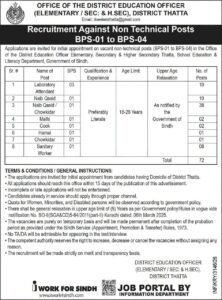 District Education Officer Thatta Jobs 2026 – BPS-01 to BPS-04 Latest Non-Technical Vacancies
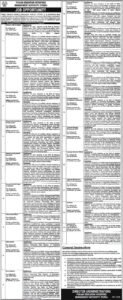 Punjab Education Initiatives Management Authority PEIMA Jobs 2026 – Apply Online
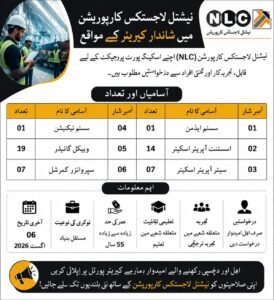 NLC Jobs 2026 National Logistics Corporation Career Opportunities
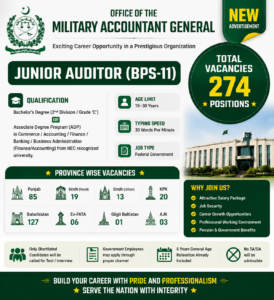 Military Accountant General Jobs 2026 274 Junior Auditor (BPS-11) Vacancies | Apply Online
 PPRA Jobs 2026 Paid Internship Program | Apply Online