
NADRA PakID App is a useful digital service launched by the National Database and Registration Authority (NADRA) to make identity-related services easier for Pakistani citizens and overseas Pakistanis. Instead of visiting a NADRA office for every small task, eligible users can use the official PakID mobile application to apply for different identity documents, upload documents, make payments, track applications and access other digital identity services.
NADRA describes PakID as its official mobile application for identity registration, updates and application tracking. The app is available for Android and iOS users.
In this guide, we will explain what the NADRA PakID App is, what services you can get through it, how to install the app, how to create a PakID account, and important things to keep in mind while using it.
What is NADRA PakID App?
PakID is the official mobile application of NADRA that allows users to access a range of identity-related services through their smartphones. It is designed to reduce unnecessary visits to NADRA offices and provide a more convenient way to submit and monitor applications.
Depending on the service and applicant’s eligibility, users can apply for or manage documents such as CNIC, NICOP, POC, CRC and FRC-related services. NADRA also provides facilities for document uploading, online payments and application tracking through PakID.
The app can also support identity verification features such as live photo capture, biometric verification and digital signatures for applicable services.
read more Google Gemini Free for Pakistani Students 2026 – How to Get Free AI Tools
What Services Are Available on NADRA PakID App?
The exact services available to a person can depend on the applicant, document type and NADRA’s current service rules. Some of the important facilities include:
1. CNIC Services
PakID can be used for several CNIC-related services, including:
- CNIC renewal
- CNIC modification/update
- CNIC reprint or replacement for a lost card
- Updating certain non-printable information
- Tracking the application
NADRA’s current CNIC guidance confirms that PakID can be used to start eligible CNIC applications and track their progress.
Important: A first-time CNIC application may require additional steps at a NADRA Registration Centre. NADRA states that biometric verification and photographs may require a physical visit in applicable cases.
2. NICOP Services
Overseas Pakistanis can use PakID for several National Identity Card for Overseas Pakistanis (NICOP) services.
These include:
- Fresh NICOP application
- NICOP renewal
- Modification
- Reprint/lost card services
- Certain information updates
The availability of a particular service depends on the applicant’s case and NADRA requirements.
3. Pakistan Origin Card (POC)
Eligible applicants can also use PakID for Pakistan Origin Card services.
The app supports services such as:
- New POC
- POC renewal
- POC modification
NADRA may require additional documents or a visit to a registration centre depending on the application.
4. Child Registration Certificate (CRC)
PakID also provides services related to the Child Registration Certificate (CRC). According to NADRA’s PakID FAQ, users can access fresh, modification and reprint services for CRC through the mobile application.
5. Family Registration Certificate (FRC)
Family-related identity services are another important part of NADRA’s digital services. PakID provides access to FRC-related facilities, subject to the applicable requirements and service availability.
6. Cancellation Certificates
NADRA’s PakID platform also includes certain cancellation certificate services, including cases related to:
- Death
- Surrender
- Resumption
- Divorce
The required documents and procedure can vary according to the type of cancellation request.
7. Upload Documents Online
One of the most useful features is document uploading. Instead of preparing every document physically, users can capture or upload required documents through their smartphone when the selected service supports online submission.
8. Online Fee Payment
PakID supports online payment methods for eligible services. NADRA lists options including JazzCash, Easypaisa, e-Sahulat, credit/debit cards and Raast, depending on service availability.
9. Track Your Application
After submitting an application, users can monitor its progress through the app. This makes it easier to check application status without repeatedly visiting a NADRA office.
10. Biometric and Facial Verification
PakID includes biometric and identity-verification features for applicable processes. The app can use the smartphone camera for functions such as live photo capture and supported biometric verification.
11. Digital Identity Services
NADRA is also expanding its digital identity ecosystem. Its Digital ID platform allows verified users to access connected digital services and provides features such as digital credentials, consent-based information sharing and a digital document vault.
What Is PakID Vault?
The PakID Vault is a digital space designed to allow citizens to store and view important digital documents. NADRA says the vault can contain documents such as CNICs, degrees, licences and certificates.
This can be useful for people who frequently need access to identity or qualification documents and do not want to carry physical copies everywhere.
PakID Single Sign-On (SSO)
Another important development is PakID Single Sign-On.
With SSO, a verified PakID account can provide one secure login for connected government services instead of requiring users to maintain separate login credentials for every service. NADRA says eligible users can use their verified PakID account for connected services.
This means that PakID is gradually becoming more than just a CNIC application app. It is part of NADRA’s broader digital identity system.
Benefits of Using NADRA PakID App
There are several reasons why citizens may prefer using PakID where an online service is available.
Saves Time
You can start eligible applications from your mobile phone instead of immediately travelling to a NADRA office.
Easy Application Tracking
The application dashboard allows users to monitor the progress of their requests.
Online Document Submission
Required documents can be uploaded through the application when supported.
Convenient Payments
Eligible services can be paid for through available online payment options.
Useful for Overseas Pakistanis
PakID is particularly useful for overseas Pakistanis who need access to NADRA identity services without travelling to Pakistan for every application.
Secure Digital Identity
The platform uses identity verification and security measures to authenticate users and protect identity-related transactions.
How to Install NADRA PakID App?
Installing the official PakID app is relatively simple.
For Android Users
- Open the Google Play Store on your Android phone.
- Search for PakID.
- Make sure you select the official NADRA application.
- Check the developer information before installing.
- Tap Install.
- Wait for the application to download and install.
- Open the app after installation.
For iPhone Users
- Open the Apple App Store.
- Search for PakID.
- Check that the application is the official NADRA app.
- Tap Get.
- Complete the installation.
- Open the application.
NADRA’s official website currently provides download access for both Google Play and Apple’s App Store and identifies PakID as its official mobile application.
Tip: Avoid downloading APK files from unknown websites. Because PakID deals with highly sensitive identity information, always use the official app stores or NADRA’s official website to find the application.
How to Create a NADRA PakID Account?
Creating a PakID account requires your personal information and verification.
According to NADRA’s Digital ID guidance, account registration uses details including your CNIC, a valid email address and mobile number.
Follow these general steps:
Step 1: Open the PakID App
After installing the app, open it on your smartphone.
Step 2: Select Registration
Look for the Register/Create Account option and start the registration process.
Step 3: Enter Your Information
Provide the information requested by the app, such as your:
- CNIC details
- Mobile number
- Email address
- Other required information
Make sure the information is accurate and matches your NADRA record.
Step 4: Verify Your Mobile Number and Email
NADRA’s account-creation instructions indicate that OTPs can be sent to the registered mobile number and email address to complete registration.
Enter the OTPs received from NADRA.
Step 5: Complete Identity Verification
Follow the instructions shown inside the app. Depending on the account and service, you may need to complete additional identity-verification steps.
The app can request access to features such as the camera when required for identity verification and other application functions.
Step 6: Create Your Login
Complete the remaining registration requirements and create your login credentials according to the instructions displayed in the app.
Step 7: Log In
After successful registration, sign in to your PakID account and select the NADRA service you need.
How to Apply for a NADRA Service Through PakID?
Once your account is ready, the general process is:
- Log in to PakID.
- Select the required identity service.
- Read the eligibility and document requirements.
- Enter your personal information.
- Upload the required documents.
- Complete photograph or biometric verification when requested.
- Pay the applicable fee through an available payment method.
- Submit the application.
- Save your application/reference information.
- Track the application through the app.
The exact procedure can be different for CNIC, NICOP, POC, CRC, FRC and other services. NADRA may also require an applicant to visit a Registration Centre for certain verification or completion steps.
Is NADRA PakID App Safe?
PakID is the official mobile application of NADRA, so users should download it only from an official source. The application handles sensitive identity information and may use photographs, biometric information and other personal data for applicable verification processes. NADRA’s privacy information describes security measures for transmitted information and encrypted payment transactions.
Users should also follow basic security practices:
- Never share your OTP with another person.
- Do not share your PakID password.
- Avoid unofficial APK files.
- Check the app developer before installation.
- Keep your phone’s operating system updated.
- Use a secure internet connection when submitting sensitive information.
- Do not give your account credentials to an agent unless absolutely necessary.
Common Problems While Using PakID
Sometimes users may face problems during registration or application submission. Common issues can include:
- OTP not arriving
- Incorrect personal information
- Camera or biometric verification problems
- Poor internet connection
- Documents not uploading correctly
- Payment problems
- Application requiring additional verification
- Need to visit a NADRA Registration Centre
If an application cannot be completed online, do not assume that the app is malfunctioning. Some NADRA services or individual cases require additional physical verification.
The NADRA PakID App has made many identity-related services more convenient for Pakistani citizens and overseas Pakistanis. Through the app, eligible users can apply for or manage several identity documents, upload documents, make online payments, complete supported verification steps and track applications from their smartphones.
The app is particularly useful for people who want to save time and avoid unnecessary visits to a NADRA centre. However, users should remember that not every application can necessarily be completed entirely online. Some cases may still require biometric verification, photographs or a visit to a NADRA Registration Centre.
For the safest experience, download PakID only through the official NADRA website or official Google Play/App Store listing, and always check the latest requirements before submitting an application.
Frequently Asked Questions
What is NADRA PakID App?
PakID is NADRA’s official mobile application for accessing identity registration, modification, renewal, reprint, tracking and other eligible digital identity services.
Can I apply for CNIC through PakID?
Yes, eligible CNIC services can be initiated through PakID. However, some first-time CNIC applications or cases may require additional steps at a NADRA Registration Centre.
Can overseas Pakistanis use PakID?
Yes. PakID provides several identity services for overseas Pakistanis, including NICOP-related services.
Can I track my NADRA application through the app?
Yes. Application tracking is one of the core features of PakID.
Can I pay NADRA fees through PakID?
For eligible services, NADRA provides online payment options including cards and selected mobile-wallet/payment channels.
Do I have to visit a NADRA office after applying through PakID?
Not always. It depends on the service and your individual case. Some applications can be processed digitally, while others may require biometric verification, photographs or additional steps at a NADRA centre.
Where can I get the official PakID app?
The safest option is to start from NADRA’s official website, which provides access to the official PakID application for Android and iOS.
Related posts:
 Directorate General of Labour Jobs 2026
 Islamabad Capital Territory Police Jobs 2026 Apply Online for SI, ASI & Constable Vacancies
 Fazaia Schools & Colleges Jobs 2026 –Apply now online
 TUSDEC Jobs 2026 Apply for Administrative & Technical Vacancies
 How to Become a CSS Officer in Pakistan – Complete Step-by-Step Guide 2026
 How to Create a Professional CV for Students
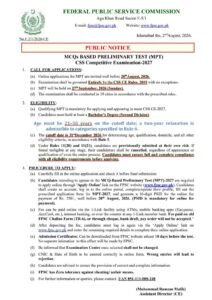 FPSC Jobs 2026 CSS MPT 2027 Online Apply
 Punjab Healthcare Commission Jobs 2026 – Apply Online
District Courts Mardan Jobs 2026 Apply Online
Punjab Healthcare Commission Jobs 2026 – Apply Online
District Courts Mardan Jobs 2026 Apply Online
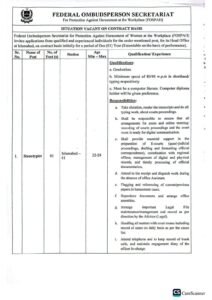 FOSPAH Jobs 2026: Apply Online for Stenotypist Posts
 Bank of Punjab Jobs 2026 Apply Online for Relationship Manager & Galaxy Management Associate Program
 District Education Officer Thatta Jobs 2026 – BPS-01 to BPS-04 Latest Non-Technical Vacancies
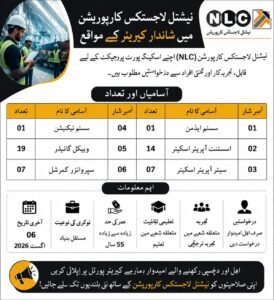 NLC Jobs 2026 National Logistics Corporation Career Opportunities
 Military Accountant General Jobs 2026 274 Junior Auditor (BPS-11) Vacancies | Apply Online
 PPRA Jobs 2026 Paid Internship Program | Apply Online